How do we intercept a request anyway?
Our main goal is to be able to intercept HTTPS traffic and perform actions such as modifying, forwarding and dropping requests. This goes beyond just listening and logging the request/response data. We need more control and ability to manage additional concerns such as encrypted traffic (HTTPS). In order to achieve this we need to be directly involved in the request-response cycle.
This can be achieved by proxying all traffic via a proxy server that’s in our control. In fact, this is how a lot of the popular security tools work like ZAP and Burp Suite. They kinda behave like a man-in-the-middle giving them full control over the process. From a super high-level the process looks something like browser -> proxy service -> target server.
Generally browsers and operating systems have support for configuring a proxy, so if we build one we can easily hook it up. However, there may be some considerations to make the setup process easier for the user such as “single click setup” and avoiding manual effort, but those sort of user experience tweaks are something I’ll revisit later.
Before we start, some ground work
Before beginning I wanted to lay some ground work such as creating a simple GUI. I find it useful to design a basic UI/layout first as it helps me think about how a user might interact with it. AI is a great tool for prototyping UIs as I can experiment and compare various ideas quickly without having to invest much time. I would write a prompt to simply provide me with some basic markup (HTML with Tailwind classes) which I would then convert into basic Vue components once I was happy. This allowed me to spend more time on building the core logic and tweak/polish the UI later.
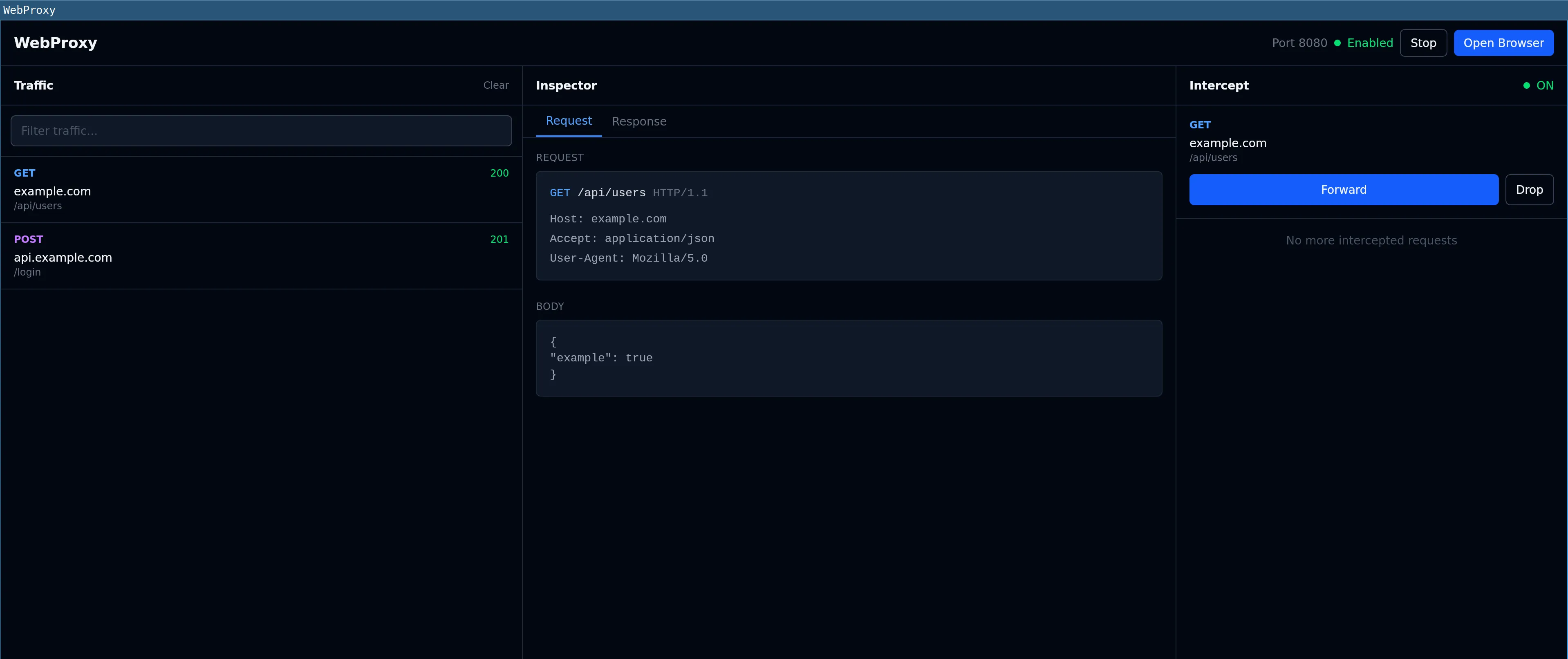
In addition, I didnt want to have to turn on/off browser proxy settings constantly and mess with the main configuration for my day-to-day browser. So I decided to create a simple “Open browser” button in the UI which simply opens Chrome (the one already installed on the user’s machine). This allowed me to programmatically configure it to use my proxy, as well as use a brand new user profile to not affect my main setup. This was inspired by Burp Suite, they have a fantastic built-in preconfigured browser that doesnt need any user setup. My approach wasn’t as slick because the user would need to have Chrome already installed, however, it was good enough for now.
Catching my first request
After spending a bit of time mapping out how to technically build my own proxy from scratch I realised it would be quite involved, and would take a lot of time away from actually building my tool’s features. For that reason I decided to use a proxy library. I went with goproxy. The setup was super straight forward and it seemed to offer what I needed. Here is the minimal code needed to proxy a HTTP request - the callback inside DoFunc is where we can handle our main logic.
goproxy.NewProxyHttpServer()

// request handler
proxy.OnRequest().DoFunc(func(r *http.Request, ctx *goproxy.ProxyCtx) (*http.Request, *http.Response) {
  slog.Info("Request received", "destination", r.URL)
  return r, nil
})

http.ListenAndServe(":8080", proxy)After adding it to my wails project, I was able to capture the HTTP traffic with no issues. It was first steps only though and I still hadn’t touched any intercept/pause logic yet, it was simply read only.
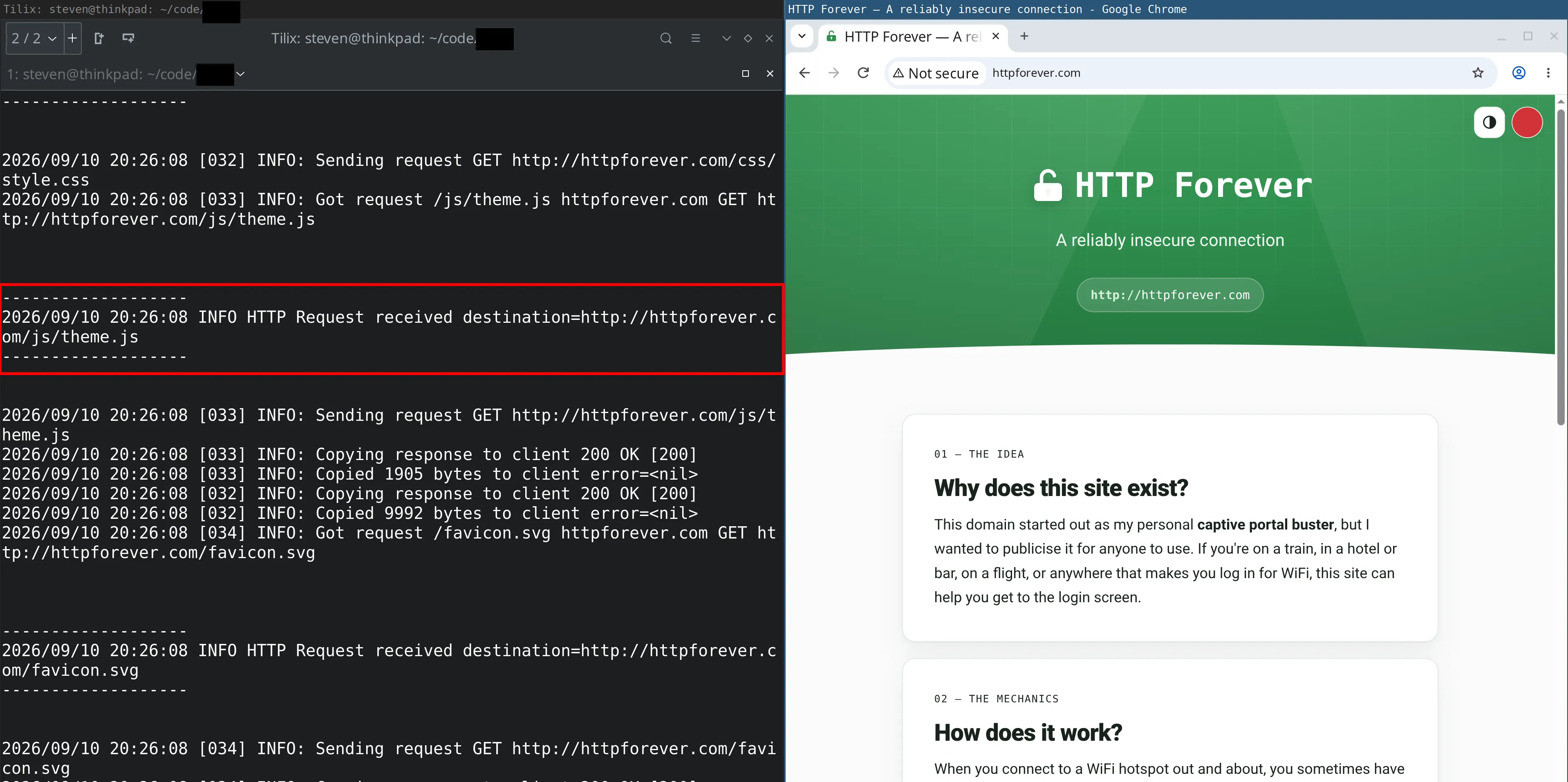
There was however one problem, I was unable to capture any HTTPS traffic due to it being encrypted (TLS). There’s a secure TLS handshake followed by the exchange of encrypted traffic between the browser and the target. The current HTTP proxy sits in the middle of the process and doesn’t have the ability to look inside the encrypted packets. Solving this would be the next big challenge.
What’s next
I now had a Wails app that had the ability to spin up a chrome process preconfigured to use the proxy with a new profile. Which allowed me to intercept HTTP traffic. The next post will cover how to deal with HTTPS traffic.